
Why is Internet a Fundamental Need for Digital Nomads in Caravan Life?
Caravan life offers the opportunity to turn the workspace into nature by breaking down traditional office walls. However, the sustainability of this freedom depends on a stable internet connection. Video conferences, large file transfers, and instant communication networks require high bandwidth and low latency. If you are a programmer, designer, or content creator, losing internet connectivity can not only be frustrating but can also mean a loss of professional reputation. Therefore, you should view internet in the caravan not just as a "necessary thing" but as a lifeline that keeps your business afloat and plan your investment accordingly.
How is the Faraday Cage Effect Created by the Metal Body of the Caravan Broken?
Many caravans are covered with metal or aluminum panels for insulation and durability purposes. This physical structure acts as a "Faraday Cage" that prevents electromagnetic waves from entering. This is the main reason why your phone or portable modem's signal is weak inside the caravan. The most effective way to break this effect is to receive the signal from outside and transmit it inside via cable. External antennas mounted on the roof of the caravan capture the signal unobstructed and relay it to the router inside. This way, you can use the external 4G signal strength seamlessly on your devices inside.
What Technical Details Should Be Considered When Choosing the Right 4G/5G Router?
Standard home modems available on the market are not suitable for use in a caravan. A router to be used in a caravan should be shock-resistant and capable of operating in a wide temperature range. From a technical perspective, attention should be paid to the "Category" (Cat) classification. A Cat 4 device offers a maximum of 150 Mbps, while a Cat 18 or Cat 20 device can reach gigabit speeds and can aggregate connections to multiple base stations simultaneously (carrier aggregation). Additionally, the device must have external antenna ports (SMA or TS9). While 5G support is a future-oriented investment, it is currently expensive; however, it provides tremendous performance improvement in areas with extensive coverage.

How Do MIMO Antennas Installed Outside the Caravan Improve Signal Quality?
MIMO (Multiple Input Multiple Output) is a technology that allows multiple data paths to be used simultaneously. Antennas with 2x2 or 4x4 MIMO features that you mount on your caravan capture scattered signals from the base station from different angles. This significantly enhances connection stability, especially in rural areas where the signal is reflected due to hills or trees. When choosing antennas, "Omni-directional" models are more practical as they do not require directional adjustments at every stop. However, in cases where the base station is very far away, "Directional" antennas can work wonders due to their focused gain.
When is the Starlink Caravan Package the Most Logical Investment?
Starlink, offered by Elon Musk's SpaceX company, is a game-changing technology, especially for remote areas where cellular data signals do not reach or in remote bays. Thanks to satellites in low Earth orbit, you can receive high-speed internet from anywhere you can see the sky. The Starlink "Roam" package allows you to use the device wherever you go. However, Starlink has a high energy consumption (approximately 50-75 Watts) and may experience signal interruptions in wooded areas. If you are not constantly in forested areas but spend time in more open terrains and outside the range of base stations, Starlink is the best option.
What Solutions Should Be Implemented When Cellular Data Signal is Weak on Remote Routes?
When you are far from the base station or when geographical obstacles come into play, standard antennas may be insufficient. In this case, "Signal Booster" devices come into play. These devices receive a very weak signal from outside, amplify it electronically, and retransmit it inside the caravan. However, it is critical that these devices comply with legal regulations and support the operator's frequencies. Boosters not only improve data speed but also enhance the quality of voice calls. However, it should be noted that if there is no signal outside, there is nothing to boost; in such cases, the only solution is satellite internet.
How is Multiple SIM Card Usage and Load Balancing Done in a Caravan?
Staying dependent on a single operator in a professional setup is risky. Different operators have base stations with different coverage areas. By using router devices with a dual SIM card slot, you can automatically switch to another operator where one does not have coverage (failover). At a more advanced level, you can achieve higher bandwidth by combining the speeds of two different operators using "Load Balancing" or "Bonding" technologies. This method is crucial for content creators who upload 4K videos or stream live broadcasts to ensure that the connection never drops.
Are Free Wi-Fi Networks in Campsites Safe and How Can They Be Strengthened?
While many campsites offer free Wi-Fi, these networks often do not reach remote areas where caravans are located or are very slow. Additionally, these public networks are vulnerable to cyber attacks. As a solution, you can use a Wi-Fi receiver (CPE) mounted outside the caravan or the "Wi-Fi as WAN" feature of your router. This system receives the Wi-Fi signal from the campsite and distributes it inside the caravan over your secure local network. During this process, you must use a VPN (Virtual Private Network); this way, your data is encrypted and prevents other users in the campsite from monitoring your traffic.
Which Operators Should Be Preferred to Find Unlimited Internet in Data Packages?
No matter how strong your internet connection is, it is useless when your data quota runs out. For caravan users, finding "Real Unlimited" packages is quite difficult because most operators reduce speed after a certain GB (Fair Usage Policy). If you are traveling in different countries, you should check roaming packages that are valid across Europe. In Turkey, packages known as "Data SIM", which are used solely for internet purposes and have high quotas, should be preferred. Sometimes, unlimited data options offered through corporate lines can be much more advantageous and unrestricted compared to individual packages.
What is the Required Bandwidth for High-Quality Video Conferencing in a Caravan?
For a seamless HD video on platforms like Zoom, Microsoft Teams, or Google Meet, you need at least 3-5 Mbps upload speed. While download speed is usually not an issue, upload speed can vary significantly depending on the base station's congestion in a caravan environment. When strengthening your connection, you should focus not only on download values but also on upload values. Having a latency (ping) below 50-80 ms is critical for audio and video synchronization. If your speed is low, closing unnecessary applications in the background during the meeting and turning off your video if necessary can stabilize the connection.
How Should Internet Equipment Be Powered by Solar Panels and Battery Systems?
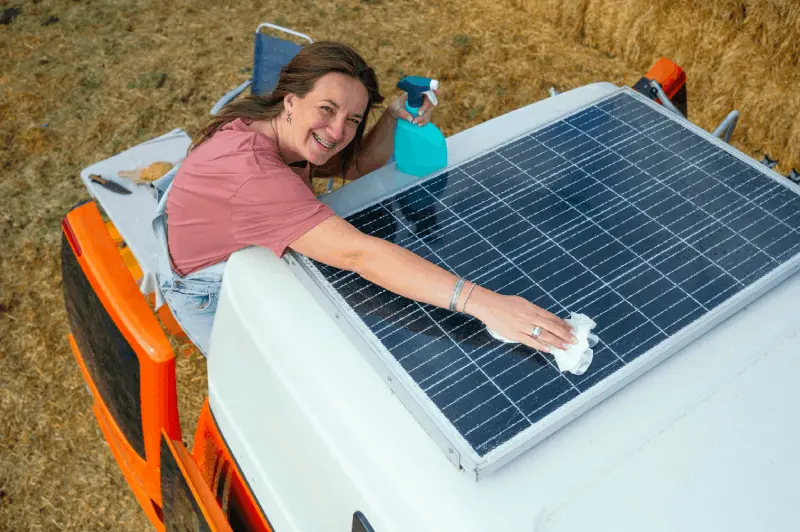
Internet equipment, especially Starlink or high-power routers, consumes significant energy when kept on 24 hours a day. Starlink can consume approximately 1.5 - 2 kWh of energy per day, which can quickly drain a small caravan battery system. Therefore, when setting up your internet system, you should also calculate your energy budget. Powering devices directly with 12V or 24V DC-DC converters instead of a 220V inverter reduces energy loss by 20-30%. Lithium (LiFePO4) batteries help ensure that equipment operates more reliably due to voltage stability and minimize the risk of connection interruptions during long stays.
How Should Antenna Cable Selection Be Made to Reduce Cable Losses?
While many caravan users install external antennas, poor cable selection can result in losing the signal strength gained over the cable. High-frequency LTE and Wi-Fi signals weaken as the cable length increases. Therefore, instead of cheap and thin cables like RG-58, low-loss LMR-200 or LMR-400 series cables should be used. The cable length should be kept as short as possible (maximum 3-5 meters), and connectors (SMA, N-Type) should be professionally tightened. Each connector joint represents approximately 0.5 dB of signal loss; therefore, it is advisable to avoid making joints and ensure the cable's insulation is protected from external influences.
How to Detect the Nearest Base Station with Mobile Applications?
Checking the internet signal in advance when choosing where to park your caravan can be a lifesaver. Applications like "OpenSignal", "Network Cell Info", or "CellMapper" show the locations of base stations around you, which operator they belong to, and what frequencies they broadcast on. If you have a directional antenna, you can use these applications to precisely aim your antenna at the base station. Sometimes, simply moving the caravan 5 meters forward or changing direction can double the signal quality by removing an obstacle in between. These applications help you identify dead spots and diagnose connection issues.
How to Protect Internet Equipment in Winter Conditions and Extreme Weather?
Outdoor antennas and cables are exposed to weather conditions such as snow, icing, and extreme heat. Although Starlink has a "snow melting" mode, excessive icing can damage the satellite's motorized orientation mechanism. Ensure that antennas are IP67 or IP68 certified. Cable entries should be secured to the caravan body with UV-resistant waterproof equipment (gland). In summer, the router inside the caravan can overheat. Overheated devices can experience thermal throttling, causing the internet to slow down. Therefore, storing devices in a ventilated cabinet or cooling them with a small 12V fan will help maintain connection performance.
Are Mesh Systems Necessary to Block Wi-Fi Dead Zones Inside the Caravan?
Although caravans are generally small areas of 5-10 meters, metal cabinets, water tanks, and insulation materials can hinder the Wi-Fi signal from reaching the back sleeping area of the caravan. If the router is at the front of the caravan and you are working at the back, you may experience signal loss. For larger motorhomes or trailer conversion vehicles, "Mesh" systems or simple Wi-Fi extenders can be used. However, for smaller vehicles, the best solution is to place the router in a central location or use a quality Access Point. Optimizing Wi-Fi channel settings (2.4 GHz vs 5 GHz) according to environmental interference also expands the reception area.

What Are the Differences Between Signal Boosters and Repeaters?
Although these two devices are often confused, their operating principles are entirely different. A Repeater receives an existing Wi-Fi signal and retransmits it digitally; however, this process usually halves the speed and increases latency. A Booster, on the other hand, typically receives cellular signals (4G/5G) through a physical antenna, amplifies them analogically, and broadcasts them. If you want to improve a weak base station signal, you should get a Booster. If you want to extend the existing Wi-Fi inside the caravan to the back room, you should prefer an Access Point or Repeater. Generally, the healthiest solution for caravans is a combination of a powerful external antenna and a quality router.
Is a Hardware Firewall Necessary for Internet Security in a Caravan?
As digital nomads, we are constantly connecting to different networks or working over static IP addresses. The network in your caravan may not be as secure as the one in your home. Many professional caravan routers (such as Teltonika or Peplink devices) come with built-in firewalls and VPN protocols (OpenVPN, WireGuard). Using a hardware firewall prevents unauthorized access attempts from outside to your devices. Especially if you are conducting banking transactions or accessing corporate confidential data, routing all traffic through a VPN at the router level saves you from the hassle of opening separate VPNs on each device and provides complete protection.
What Parameters Should Be Considered When Performing Internet Speed Tests?
When it comes to speed tests, the first thing that comes to mind is "Download" speed, but in caravan life, "Jitter" and "Packet Loss" values are much more critical. Jitter refers to the variation in latency; high jitter can cause video streams to stutter. Packet Loss is when data is lost while reaching the other side, which can result in no pages loading despite the internet appearing to be working. When conducting speed tests, sometimes testing "Fast.com" or the operator's own test servers instead of "Speedtest.net" can yield more realistic results. You should perform tests at different points in the caravan and at different times of the day to create your performance profile.
How Will 6G Technology Change Caravan Life in the Future?
While we are currently waiting for the widespread adoption of 5G, research on 6G technology could transform caravan life into science fiction in the 2030s. The terabit-level speeds and sub-millisecond latency of 6G will make it possible to hold hologram meetings in caravans or work in virtual offices with augmented reality (AR). Additionally, 6G will standardize satellite integration, allowing smartphones to communicate directly with satellites without the need for massive antennas like Starlink. This means we will have internet at light speed without any additional equipment, even in the most remote areas of the world.
How to Minimize Latency for Gamers in a Caravan?
Online games (FPS, MOBA, etc.) require low ping values. When gaming over cellular data (4G/5G), ping fluctuations are the biggest issue. To minimize this, you can set "Band Locking" in the router settings to ensure the device only connects to the fastest frequency (e.g., B3 or B7). Additionally, connecting your device to the router with an Ethernet cable instead of over Wi-Fi eliminates the extra 5-10 ms latency caused by wireless transmission. Optimizing your DNS servers (Google DNS or Cloudflare 1.1.1.1) can also help you reach game servers faster.
What Are the Most Common Mistakes Made When Setting Up Internet in a Caravan?
The biggest mistake is not investing in the antenna after buying a quality router or vice versa. The internet is a chain, and its speed is determined by the weakest link. Another mistake is ignoring energy efficiency; on days when the sun is low in winter, the internet system's batteries running out can leave you without power. Additionally, mounting devices in the hottest or most humid areas of the caravan can shorten their lifespan. Finally, not reading operator contracts carefully; a package labeled "unlimited" may not work on modems used in caravans (due to tethering restrictions), leading to significant disappointment. You should test the compatibility of all parts before installation.
Summary of Ideal Internet Setup for Caravans and Final Recommendations?
In conclusion, the best internet experience in a caravan is achieved with a hybrid model: a quality 4G/5G MIMO antenna mounted on the roof, an industrial router of Cat 6 or higher, and, if budget allows, a backup Starlink. This setup provides extensive coverage from city centers to the deepest forests. When making your investment, avoid cheap consumer devices; the shocks and harsh conditions of the caravan can quickly damage these devices. Always have your B plan (a different operator SIM card) and C plan (a nearby café or library). Freedom in the digital world starts with a good connection speed.